A nameserver is not a DNS record
Nameservers identify the service holding the authoritative zone. Records inside that zone describe website, email and verification settings. Entering two nameserver hostnames does not create a zone. The DNS provider must publish the particular domain, using the exact allocated nameservers.
Default DNS or your own provider
The default service uses ClouDNS. With a different provider, add the domain there first and copy its assigned nameservers. For an existing domain, retain email and verification records. After delegation changes, records at the former DNS service no longer control the domain.
Diagnose the right layer
A misspelled nameserver differs from an unpublished zone. Check spelling, publication at the DNS provider and the registration response in that order. Do not add a random server from another provider; all delegated servers need consistent authoritative data.
Your practical checklist
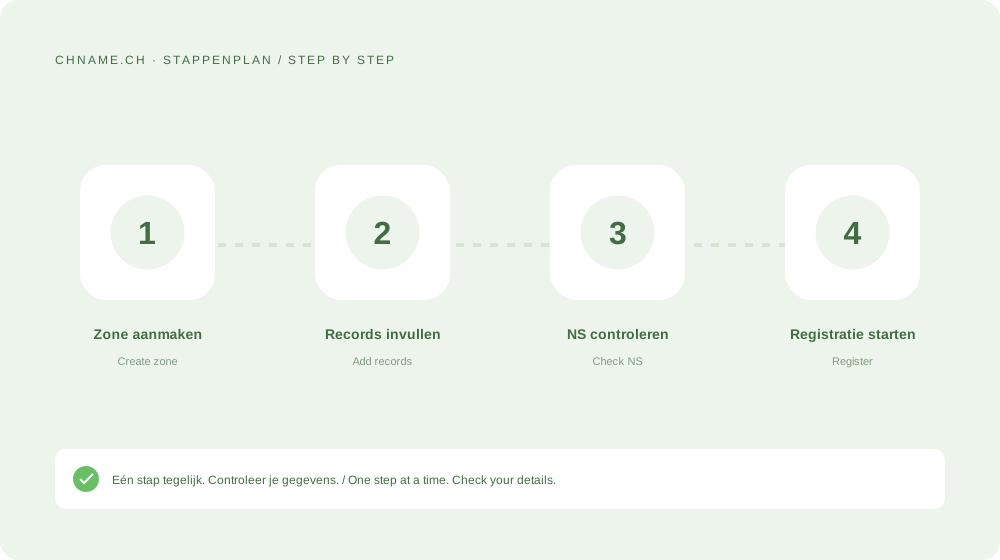
- Create the zone first.
- Use at least two distinct nameservers.
- Copy the exact assigned hostnames.
- Test both website and email after changes.
A useful question
Can I change nameservers later?
Yes. Prepare the new zone first and account for caching and any DNSSEC keys.
Ready to check your name? Start with the exact domain, then compare alternatives. Find a domain →
Sources & further reading
Original guide by chname.ch editorial. Archive dates organise this library; this guide was created and reviewed on . Provider and registry instructions take precedence when requirements change.