

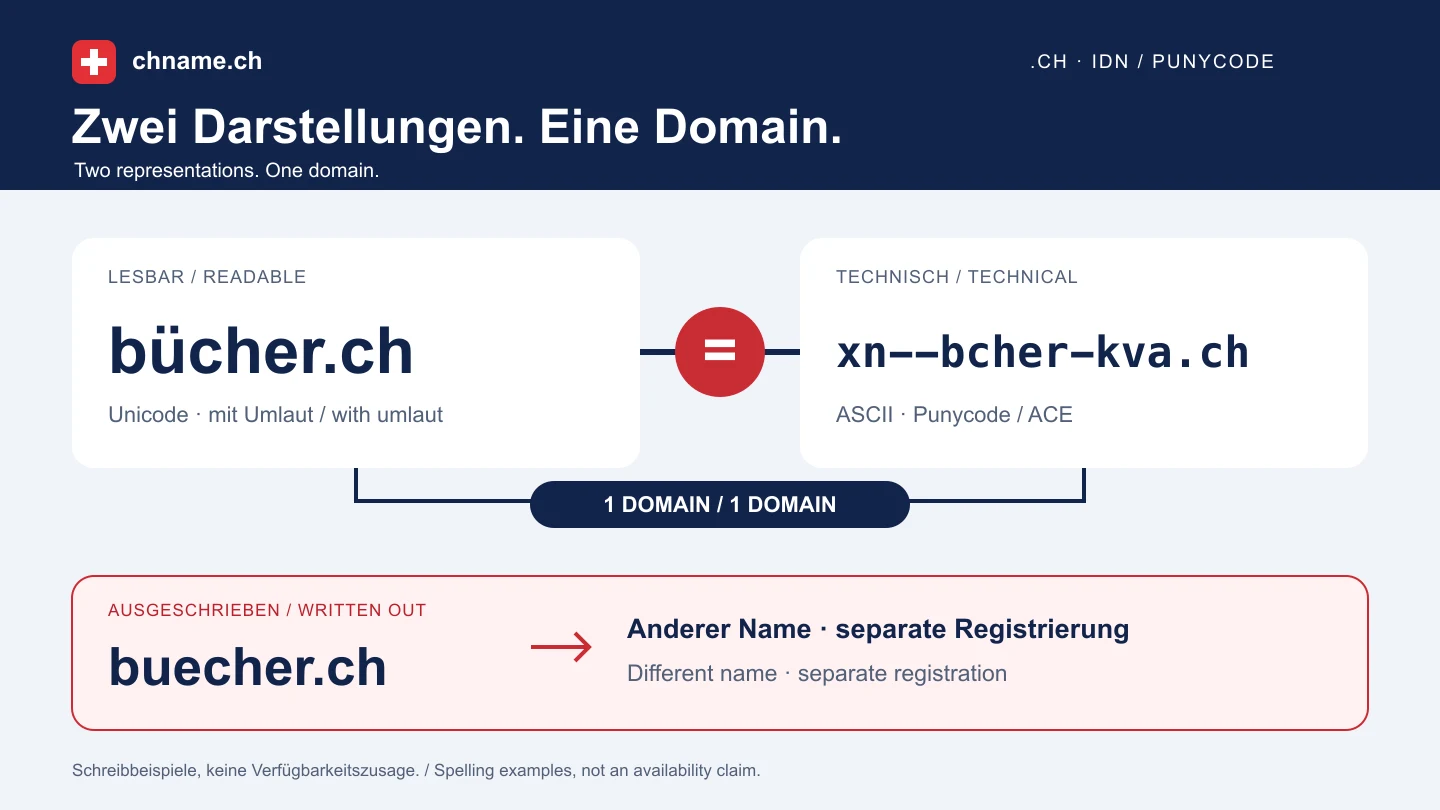
Punycode and a written-out alternative are different things
Take bücher.ch as the readable spelling. Its technical representation is xn--bcher-kva.ch. Under the IDNA definitions, a valid Unicode form and its corresponding ASCII form are equivalent. Those two representations therefore belong to the same domain name. buecher.ch has a different sequence of letters: ue is not the Punycode encoding of ü. An IDN registration does not automatically include that separate name. Before ordering, write down the readable spelling, its technical form and any written-out alternative on three separate lines. Put only genuinely different domains on your purchase list.
Check the character and the complete name
Switch refers to the annexes of its registration terms for the characters permitted in .ch domains. Do not assume that every symbol on your keyboard is accepted. The terms also impose limits on the name and ACE string, so a long readable name needs an extra check after conversion. Enter the desired domain directly in the search box, without https:// or a path. The chname.ch search normalises a Unicode domain to its ASCII form. Review the complete result before continuing: a different technical label, a missing letter or the wrong extension is a reason to stop and check the input again.
Choose the main spelling with a practical typing test
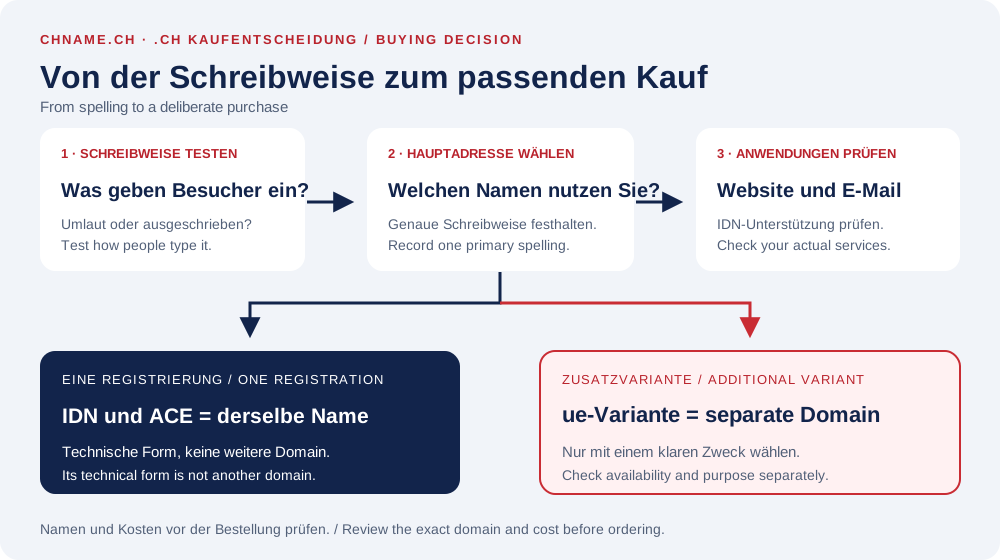
Choose around your visitors, rather than trying to own every possible variation. Ask a few people from your intended audience to listen to the name and type it on their own phones. Note whether they use the umlaut, omit it or replace it with two letters. This is a small usability check, not search-volume research. If people recognise the correct brand spelling with an umlaut, it may work as the primary address. If another spelling is frequently typed, decide whether a second domain has a concrete purpose. Also decide who will configure any redirect: registering two names does not connect them automatically.
Budget for the separate domains you actually need
At the current chname.ch standard price, one new .ch registration costs €9.99 for year one, with €12.99 for an annual renewal. Two available, separate .ch names at those standard prices would cost €19.98 for their initial registrations and later €25.98 for both annual renewals together. This is a calculation, not an availability or price quote for the example names above. Do not count the Unicode and Punycode representations of the same name twice. Compare the term for each actual domain in your cart. An additional name makes sense only when you can explain its purpose, management and recurring cost.
Test beyond the address bar before using the name everywhere
Microsoft explains how browsers can convert an IDN and may deliberately show its Punycode representation, for example when spoofing is suspected. An xn-- display therefore does not by itself mean that you bought a different name. Switch also gives no general guarantee that IDNs will work suitably in every application. Check the services you actually intend to use: your website builder, a contact form, newsletter and email software. Before ordering a mailbox, ask which form of the domain that service expects. Do not confuse support for an internationalised domain with support for non-ASCII characters before the @ sign; that is a separate compatibility question. Test your own services instead of assuming universal support.
From choosing a spelling to reviewing an order
Search the exact IDN first, then check only an alternative you actually plan to use. Compare the domain line in the result and cart with your own spelling note. Enter the real registrant details, and add a mailbox only after checking its intended use. After ordering, keep both the readable name and technical form in your domain records; this helps when comparing DNS instructions later. Wait for confirmed registration before finalising printed materials or a campaign. If a representation is unclear, ask support to explain the relationship between your input and the displayed label before paying.
Your practical checklist
- Write down the intended spelling with the correct accent or umlaut.
- Check its corresponding technical Punycode representation.
- Treat a written-out ue, oe or ae variant as a separate name.
- Use a typing test to decide whether an additional variant has a purpose.
- Compare the initial price and renewal for each actual domain.
- Check IDN support with your website and email services.
- Keep both representations and wait for confirmed registration.
A useful question
Must I order both bücher.ch and xn--bcher-kva.ch?
No. In this example they are the readable and technical representations of the same IDN. A name such as buecher.ch is a different sequence of letters and needs its own availability check.
Can I use every accent or symbol in a .ch domain?
No. Check the permitted characters in the current Switch annexes and the complete name in domain search. A permitted character does not mean the desired name is available.
Why do I sometimes see xn-- in a browser or DNS settings?
It can be the ASCII representation of an IDN. Compare it with the correct Unicode name rather than judging only whether it looks familiar. If unsure, have the correspondence checked.
Is another spelling automatically included?
The corresponding Punycode form is not an additional registration. A genuinely different name is not automatically included and has its own price and renewal if it can be registered.
Ready to check your name? Start with the exact domain, then compare alternatives. Find a domain →
Sources & further reading
- Switch: IDN, Umlaute, Punycode und Programmnutzung
- Switch: Registrierungsbedingungen und zulässige Zeichen
- IETF RFC 5890: Unicode, ASCII-Bezeichnungen und Äquivalenz
- Microsoft Learn: IDN-Rendering und Browsersicherheit
Original guide by chname.ch editorial. Published on . Provider and registry instructions take precedence when requirements change.