

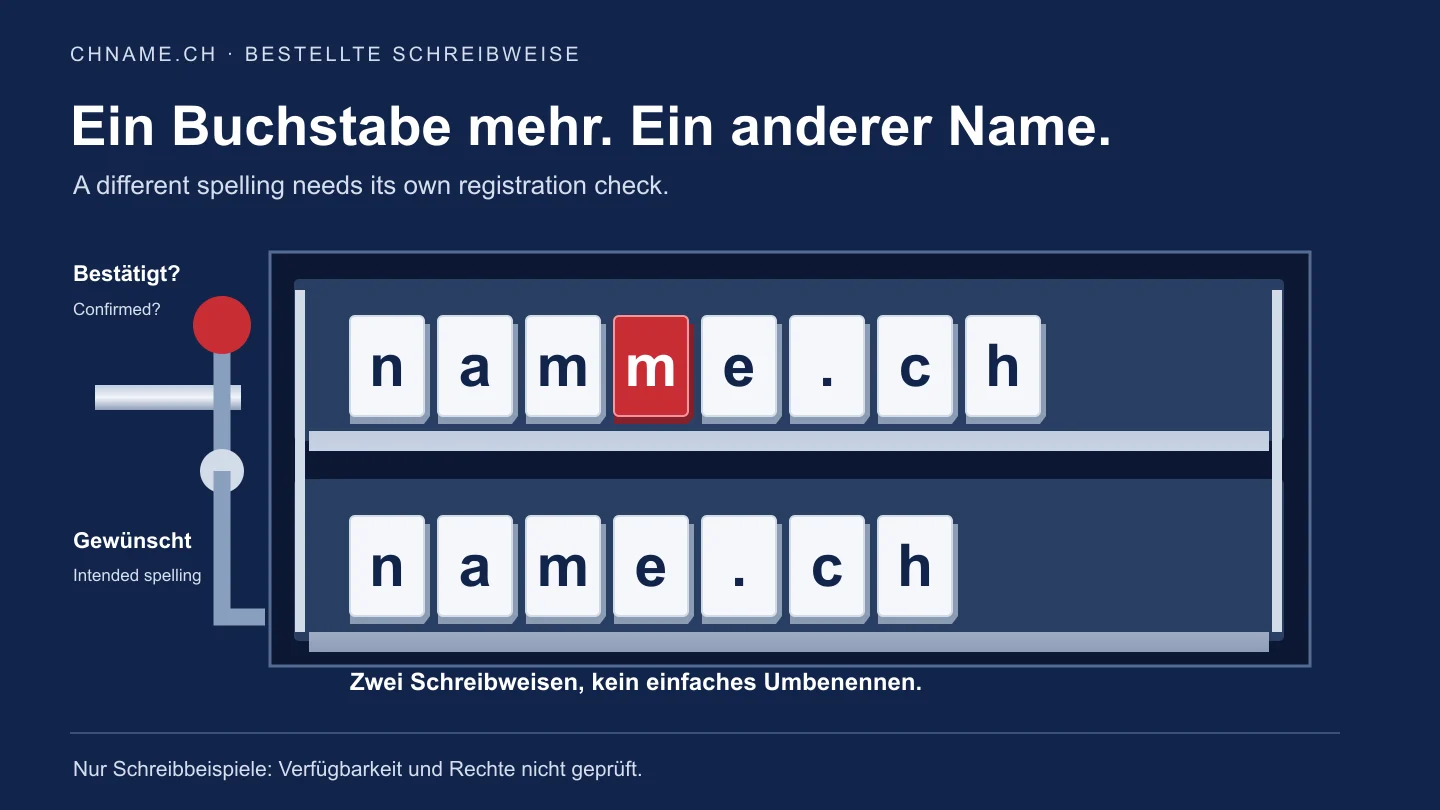
Distinguish a different name from a different display
Compare the full name in your confirmation with the intended spelling, including its extension and hyphens. An added or transposed character can produce a different domain. Uppercase versus lowercase alone does not create another .ch name: Switch’s terms map uppercase letters to lowercase. A readable accented name and its corresponding Punycode representation can also identify the same domain. Resolve those cases before buying an apparent correction. Changing a company address, name server or registrar does not change the registered string either. Technically, Switch’s EPP manual and its referenced standard separate creating a name from updating its associated data. For the ordinary purchase process, the consequence is that an actually different name is a separate registration.
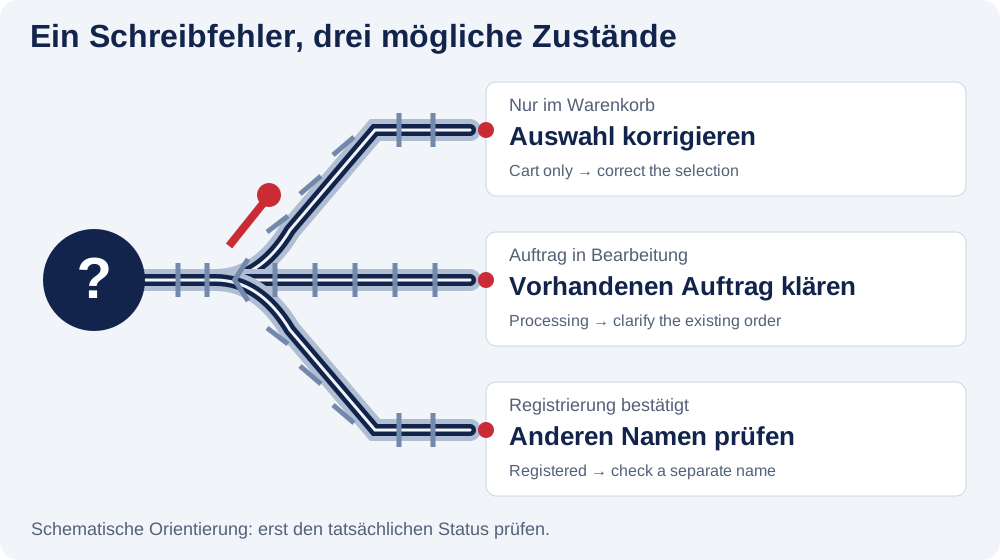
Correct the selection before ordering; ask during processing
If the incorrect name is only in your cart, remove that item and search the intended name again. Review the term and optional mailbox on the new item as well: a correct total does not prove correct spelling. If an order has already been prepared or paid, changing the cart does not change that existing order. Open My account, record its reference, exact domain and displayed status, and ask through Contact. Paid or processing does not establish which registration steps have already happened. Wait for clarification of the existing order. This guide does not promise that it can still be stopped, or that a refund or free replacement will be available.
Handle a confirmed wrong name and the intended name separately
If the wrong spelling has already been registered, check the intended name as an independent domain. Your first order does not automatically reserve the correct variant. If that variant is unavailable, consider a usable alternative rather than paying speculatively for another similar string. At chname.ch, an ordinary available new .ch domain currently costs CHF 9.99 for the first year and CHF 12.99 per annual renewal. EUR is selectable with the same numeric prices. The new purchase does not reassign the first registration or its prepaid renewals. Resolve any questions about the earlier order’s costs or possible reversal separately using its reference. Transferring the wrong name to another provider does not fix its spelling.
Planning example: an extra m before the website launches
In this fictional example, namme.ch and name.ch represent two different spellings; neither name has been checked for availability or rights. A team intended the second form, but the first is confirmed. It first compares its registration confirmation with its own approved spelling, holds the business-card print run and has the existing order identified. Only after clarification does it check the intended form again. If an additional standard registration is available and wanted, it budgets a separate CHF 9.99 without treating the amount already paid as credit. It does not assume that an existing mailbox or prepayment moves across automatically. Both domain names remain separate entries in the project record until the respective decisions are confirmed.
Finish website, email and old-registration decisions deliberately
If the wrong name has already been published, list where it appears: website links, email addresses, QR codes, invoices or logins to other services. Once the new name is registered, a web redirect may be part of the changeover; it neither renames the old domain nor forwards email. Resolve mailboxes, forwarding and recurring subscriptions separately. Do not delete or cancel the old registration hastily while services or recovery addresses depend on it. If it is no longer needed, ask about the appropriate process and check confirmation that each relevant service has ended. chname.ch does not sell web hosting, so buying a new domain does not move website files.
Your practical checklist
- Write the intended and confirmed strings side by side, including the extension.
- Check whether uppercase or corresponding Punycode is only a display difference.
- Distinguish a cart selection, an existing order and a confirmed registration.
- Ask about an existing order using its reference before assuming a change or refund.
- Check the actually different intended name again and confirm its costs separately.
- Resolve the website, email, prepayments and ending the old service individually.
A useful question
Will changing registrars fix the typo?
No. That moves the administration of the same domain. A different registered string needs its own checked process.
Does a typo automatically entitle me to a refund?
Do not assume an automatic refund. Ask for review of the actual order and its processing state. Editing a cart does not cancel an existing order.
Do I need another name because I see xn--?
Not automatically. The corresponding Punycode form can identify the same domain as its readable accented spelling. Check that relationship first.
Check the existing order first. A new search does not resume a payment. Open orders in My account →
Sources & further reading
- Switch: EPP manual, creating and updating a .ch name
- RFC 5731, section 3.2.5: domain name and updatable attributes
- Switch: terms 3.1.2, handling uppercase letters
- Switch: whom to contact about .ch domain changes
Original guide by chname.ch editorial. Published on . Provider and registry instructions take precedence when requirements change.