

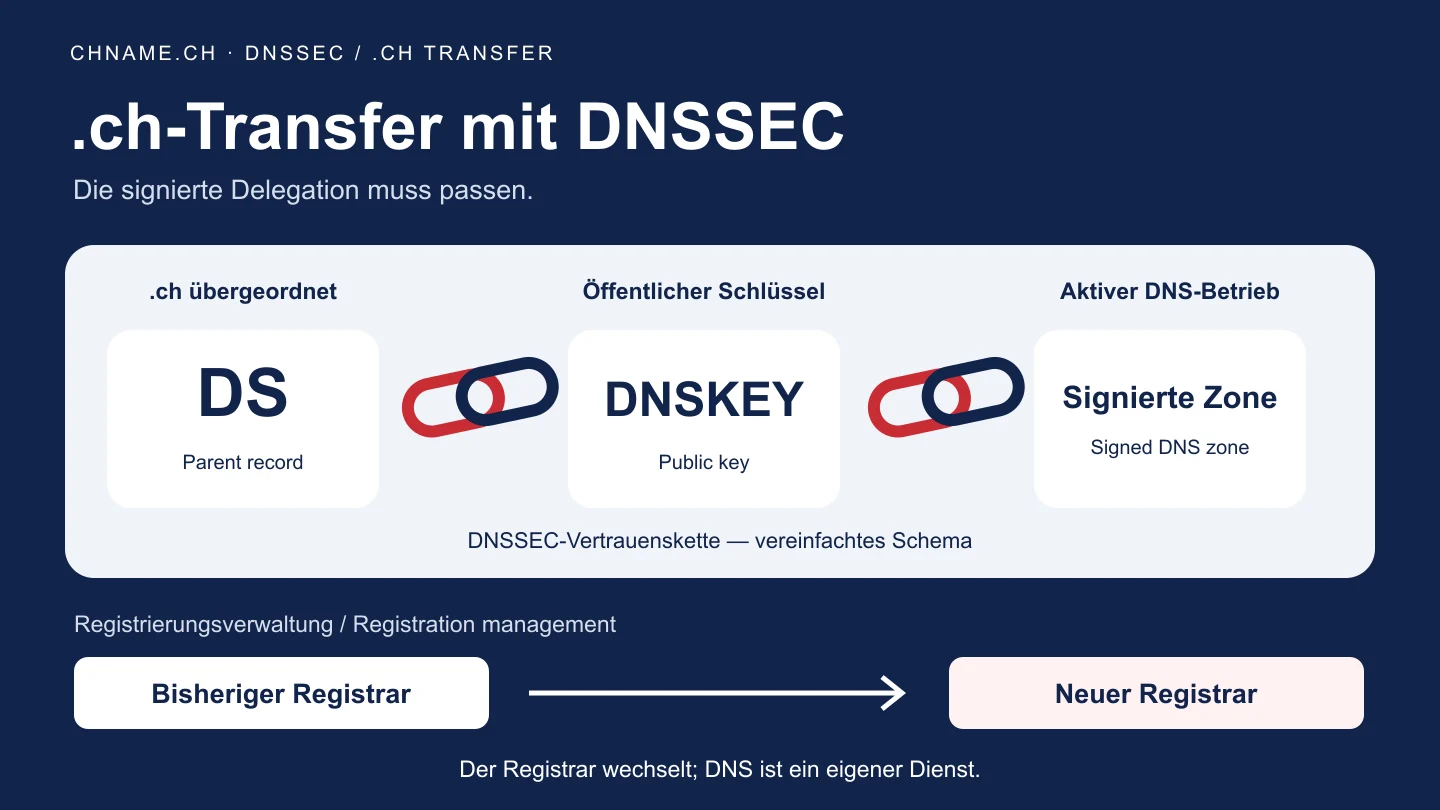
An authorisation code does not replace a DNSSEC check
The authorisation code permits the registrar change. It does not establish whether DNS signatures match the current keys. With DNSSEC, a DS record in the parent zone connects the delegation to a public DNSKEY for your domain. Signatures are generated by the operator of the signed zone. The Switch manual requires a registrar supporting DNSSEC for a signed .ch transfer. If the DNS service and its keys stay unchanged, changing registrar is not automatically a reason to re-sign the zone. Still confirm who will manage the delegation data afterwards and whether the existing DNS contract continues after the transfer.
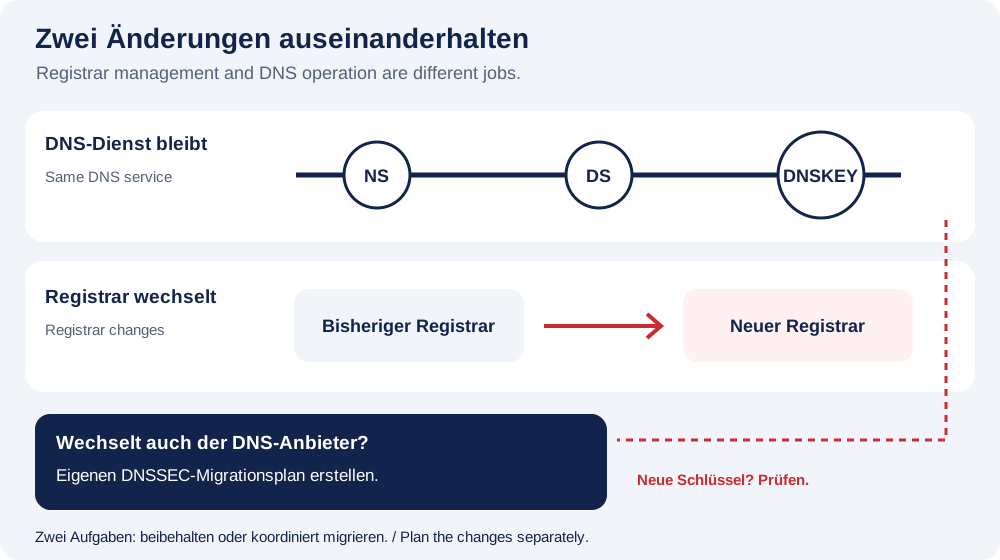
Prepare four handover details
Record the exact domain, the currently delegated nameservers, the DNSSEC status with its public DS/DNSKEY data, and the responsible DNS contact. Ask the current service to confirm anything unclear. DS and DNSKEY are public DNS data; private signing keys do not belong in a support message. Do not include account passwords or authorisation codes there either. Enter the transfer code only in the designated secure account form. Also note an upcoming key change or the end of a DNS subscription. This distinguishes a stable handover from a move that also needs a separate DNS migration.
Planning example: an association keeps its DNS service
An association wants a new registrar to manage its registration while its website and email stay with the existing service. This is a fictional example. Its committee first confirms that the DNS zone will remain available after the registrar changes, then records the nameservers and public delegation data. The registrar move does not copy website files or mailbox contents. If a new DNS service will also take over, this simple scenario ends: that service may use different signing keys. The old DS record must not be assumed to match. Coordinate the DNSSEC migration with those responsible rather than changing registrar, nameservers and keys together by trial and error.
What the chname.ch transfer check actually means
Open My account and choose Transfer domain. The domain check reads existing nameservers and, for a signed delegation, public DS and DNSKEY records. If a suitable public key can be matched to the DS, preparation can continue. If that match is missing, the request stops before payment and needs support review. An unreachable DNS lookup is also not evidence that DNSSEC should be disabled. Give support the domain, time and displayed reference. A successful pre-check is not a completed transfer. If relevant DNS data change before execution, the request may need further review.
Afterwards, check registration and services separately
Check the confirmed transfer status in your account and the retained nameservers. Separately verify the DNSSEC delegation and website and email access: a successful registrar status does not answer every DNS question. A DNSSEC validation failure can cause validating resolvers to return SERVFAIL. That result also has other possible causes; it is not an instruction to delete DS records immediately. Keep the public findings and their time, and ask the DNS contact to investigate the relationship. If order or payment status is unconfirmed, resolve the existing request rather than starting another transfer. A blanket zero-downtime promise would not be justified.
Your practical checklist
- Separate the registrar transfer from any DNS-provider change.
- Confirm that the existing DNS zone will remain available under the service agreement.
- Record current nameservers, public DS/DNSKEY data and the DNS contact.
- Coordinate upcoming key changes with those responsible.
- Enter the authorisation code only in the secure account form.
- Use the reference to resolve an unconfirmed pre-check.
- Afterwards, check transfer status, DNSSEC, website and email separately.
A useful question
Must DNSSEC be disabled before every .ch registrar transfer?
No, that is not a universal rule. The new registrar must support DNSSEC, with the matching signed delegation retained or carefully migrated. A simultaneous DNS-provider change needs its own plan.
Are DS and DNSKEY the same as my private key?
No. They are public DNS data. Do not copy private signing keys, account passwords or transfer authorisation codes into an ordinary support message.
Why can the check stop even with the correct transfer code?
The code does not establish the DNSSEC match. Missing matching public keys or unreliable DNS lookups require clarification. Use the displayed reference rather than deleting settings by trial and error.
Ready to check your name? Start with the exact domain, then compare alternatives. Find a domain →
Already hold the domain? Open the transfer form in My account →
Sources & further reading
- Switch: EPP manual, transferring signed .ch domains
- Switch: DNSSEC requirements, section 3.1.3
- IETF RFC 4034: public DNSKEY and DS records
- IETF RFC 4035: DNSSEC validation and failure responses
- Cloudflare documentation: chain of trust and key changes
Original guide by chname.ch editorial. Published on . Provider and registry instructions take precedence when requirements change.